Kids & Family
ChatGPT +2
Baby vs Dancing Talking Cactus Toy Prompt
Generate a 15-second 9:16 raw home video of a one-year-old reacting hilariously as a dancing cactus toy repeats nearby voices.
1,806 words
Tap an image to view it full size. Use it as a reference in your AI image or video tool.
DEEP VIRAL ANALYSIS OF THE REFERENCE VIDEO
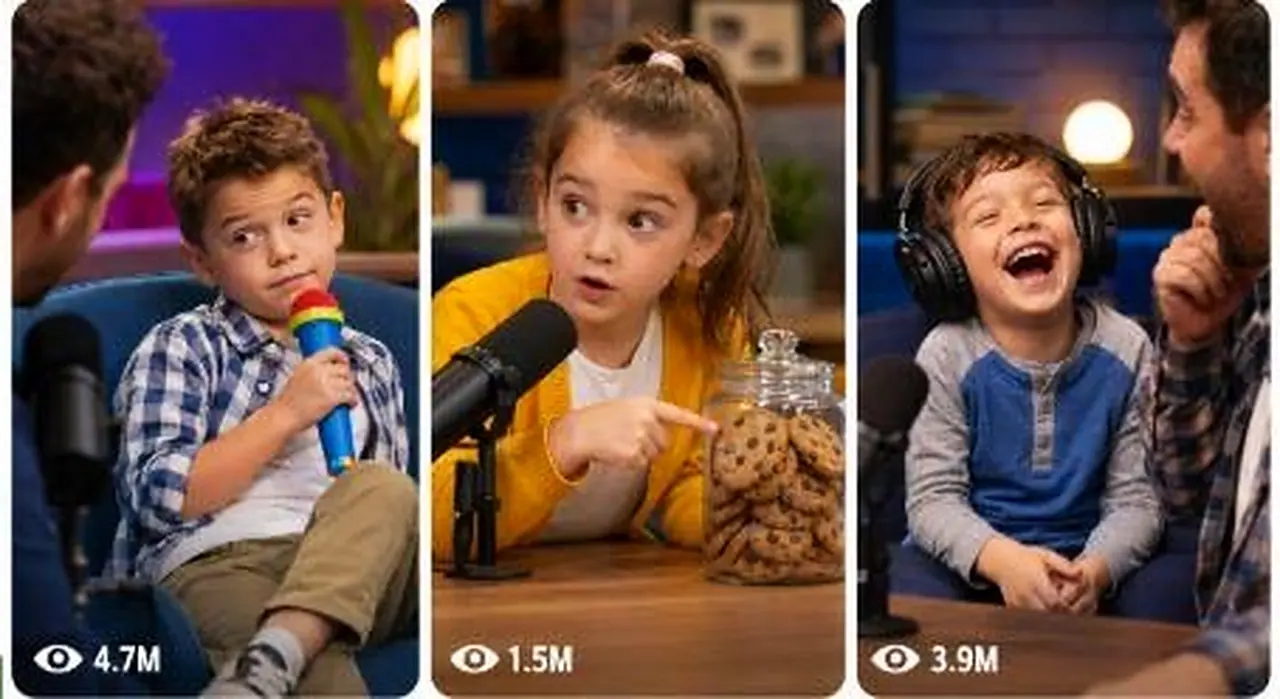
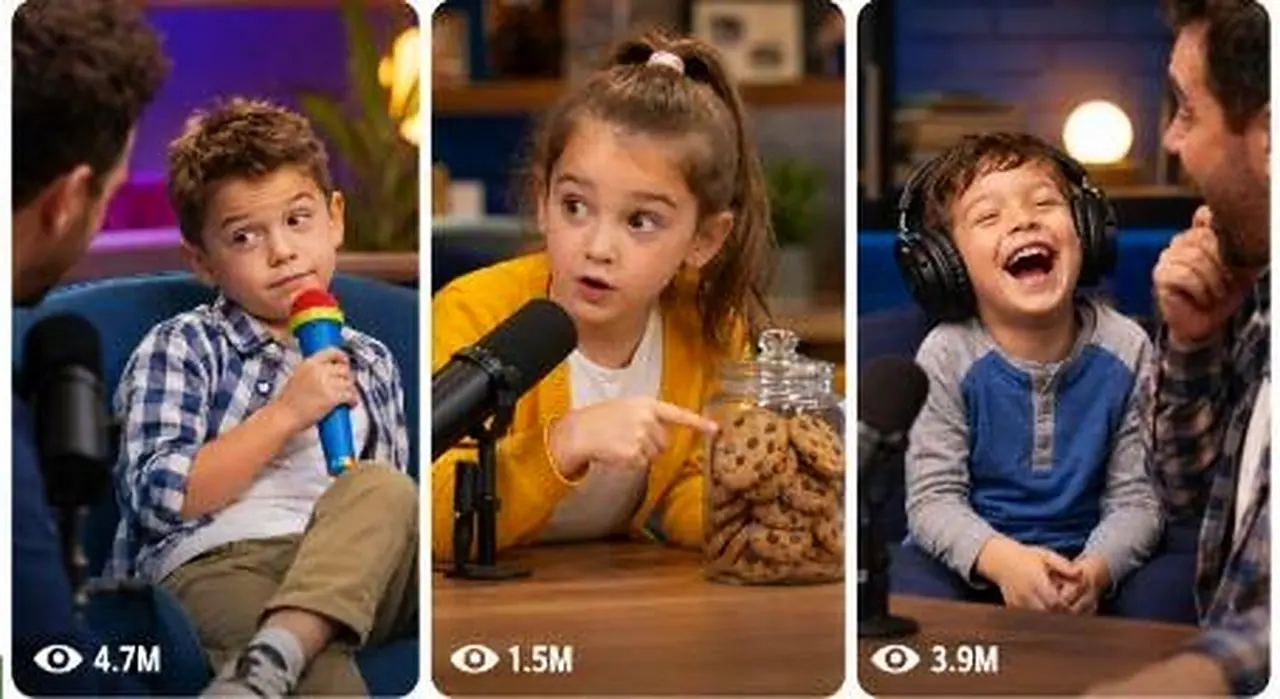
The reference is a vertical short-form repost of a professional TV-style studio interview comedy moment. It is not raw iPhone footage. It looks like a clean broadcast studio clip cropped into 9:16, built around a cute child guest giving an unexpectedly funny answer while adults react.

1. Video Niche and Category
Niche: family-friendly comedy interview / cute kid talk-show moment / innocent child roast / unexpected answer comedy.
Category:
A polished studio setup where a serious adult host asks a simple question, and a small child gives an honest, blunt, unpredictable answer. The comedy comes from the contrast between:
adult formal environment + tiny child innocence + sudden punchline + audience reaction
This type works very well for Shorts/Reels because viewers instantly understand the setup.

2. Hook in First 1–3 Seconds
The hook is visual and situational:
A well-dressed male host bends down with a microphone toward a very small child sitting on a high chair. The child looks serious and slightly confused. This creates instant curiosity:
“What is this little kid about to say on a big stage?”
The first frame already has tension because the host is leaning in like something important is about to happen.

3. Main Concept and Viral Reason
The viral concept is:
A cute child is asked a normal question in front of an audience, then gives an unexpectedly savage or funny answer that makes everyone laugh.
Why it works:
The child looks innocent, so the audience does not expect a sharp punchline. The host’s reaction makes the moment feel bigger. The adult male reaction shot confirms the joke. The final wide shot with clapping gives the viewer a satisfying payoff.
This is a classic retention formula:
Question → cute pause → child answer → host shock → child points/blames → adult reaction → audience laughter → applause ending

4. Character / Subject Details
Main subjects:
Adult host:
Sharp black suit, white shirt, tie, clean stage presence, holding a handheld microphone. He bends down to the child’s level, making the child the center of attention.
Child guest:
Very young blonde girl, pink floral dress, pigtails, white shoes/socks, small lav mic on chest. Her face is serious, expressive, innocent, and unpredictable. She is the main viral asset.
Adult male reaction guest:
Grey sweater, seated in audience/guest area, laughing hard after the child’s answer. He acts like the “target” or emotional payoff of the joke.
Audience:
Visible behind the child and guest. Their laughter makes the moment feel socially validated.

5. Location / Background Details
The setting is a polished TV studio:
Studio stage, glossy floor, warm wood panels, blue city skyline-style background, desk/chair area, yellow guest chair, audience seating behind.
The environment feels clean, expensive, professional, and safe. This makes the child’s simple answer feel even funnier because the setting is too serious for such a raw kid moment.

6. Camera Style, Angle, Movement, Framing
This is a multi-camera studio broadcast style video.
Camera pattern:
Starts with a medium-wide two-shot of host and child.
Cuts to a tight close-up of the child.
Cuts to close-up of host reaction.
Cuts back to child for the pointing/punchline.
Cuts to adult male reaction.
Ends with a wide shot of host laughing/clapping.
No shaky camera. No POV. No handheld phone look. It is clean, stable, broadcast-style, vertically cropped.
Lens feel: medium telephoto studio lens, compressed background, clean subject separation, face-focused framing.

7. Lighting, Colors, Realism Level, Phone-Camera Feel
Lighting is professional studio lighting: soft, bright, even, clean skin tones, no harsh shadows.
Colors: pink dress, yellow chair, dark suit, blue studio background. Strong contrast makes the child pop immediately.
Realism level: professional TV realism, not AI fantasy, not cinematic movie, not raw street video.
Phone-camera feel: very low. It feels like a vertical crop of broadcast footage uploaded to social media.

8. Full Timeline Breakdown
The uploaded reference is about 10 seconds, not 15. Here is the native structure:
0:00–1:30
Wide/medium shot. Host leans toward the child with microphone. Viewer instantly understands: a child is about to answer something on stage.
1:30–4:10
Close-up on child. She speaks with a serious face. This is the curiosity-building section. Her expression is cute, calm, and slightly confused.
4:10–5:30
Cut to host close-up. Host reacts with a big amused expression, holding the mic. This tells the viewer the answer is funny.
5:30–7:20
Cut back to child. She points toward someone and continues the joke. This is the real punchline moment.
7:20–8:50
Cut to adult male guest/audience reaction. He laughs hard. This validates the joke and makes viewers laugh with him.
8:50–10:00
Wide shot. Host laughs and claps, child stays seated, audience laughter continues. The ending feels complete.
For a 15-second version, the best structure is:
0:00–2:00 hook setup,
2:00–5:00 child thinking/answer buildup,
5:00–7:50 host reaction,
7:50–10:50 child punchline/pointing,
10:50–13:00 adult reaction/audience laugh,
13:00–15:00 final wide clapping/laughter ending.

9. Action Flow From Start to Ending
The action is simple but perfectly staged:
Host asks → child listens → child answers seriously → host reacts → child doubles down / points → adult laughs → audience laughs → host claps.
There is no complex plot. The viral power comes from one clear comedic beat.

10. Funny / Emotional / Shocking / Satisfying Moment
The funniest moment is when the child points toward the adult male and appears to make him the target of her answer.
That pointing gesture is important. It turns a normal answer into a direct joke.
The satisfying moment is the adult male laughing and the host clapping. That gives the viewer social permission to laugh.

11. Sound Design
Sound is studio-based:
Host voice
Child voice
Audience laughter
Clapping
No music needed
No heavy sound effects
No artificial meme edits required
The natural laughter is the strongest audio element. For AI video, the sound should feel like a real studio audience, not fake canned laughter.

12. Editing Style and Pacing
Editing is clean and fast but not chaotic.
The cuts happen exactly when attention changes:
Host setup → child answer → host reaction → child punchline → target reaction → wide applause.
This keeps retention high because the viewer is constantly getting a new face and new emotional response.

13. Why People Watch Till the End
People stay because the clip creates a question:
“What will the child say?”
Then it creates another question:
“Who is she pointing at?”
Then it rewards the viewer with laughter and applause.
The end is not random. It gives a complete payoff.

14. What Makes This Repeatable
This format is highly repeatable because only three things need to change:
The question the host asks
The child’s innocent answer
The adult target/reaction
You can repeat it with different topics:
Dad’s cooking
Mom’s driving
Grandpa’s snoring
Teacher’s homework
Dog’s behavior
Uncle’s dance moves
Parent’s phone addiction
Family secrets
Birthday gifts
School excuses
The format remains the same while the punchline changes.

15. What to Avoid
Avoid these mistakes:
Do not use real celebrity faces, real show names, real studio logos, copied dialogue, exact set design, or the same child identity.
Do not make the child act too adult, too scripted, or too sarcastic. The comedy must feel innocent.
Do not over-edit with zoom spam, subtitles everywhere, meme sounds, fake laugh tracks, or unrealistic camera movement.
Do not make the studio look like CGI. Keep it clean, simple, broadcast-real.
Do not make the child embarrassed, bullied, unsafe, or exploited. The humor should be cute and family-friendly.

COPY-PASTE READY ULTRA MASTER PROMPT
ULTRA MASTER PROMPT — VIRAL STUDIO KID INTERVIEW COMEDY VIDEO SYSTEM
A. AI ROLE
You are a viral short-form content strategist, family-friendly comedy writer, studio visual director, AI video prompt engineer, and retention expert. Your job is to create original short-form video ideas, visual storyboards, and detailed text video prompts inspired by the format of a polished TV-style studio interview comedy moment, where a cute young guest gives an unexpectedly funny, innocent, honest answer in front of a host and laughing audience.
You must never copy any real TV show, host, celebrity, child, creator, brand name, logo, set design, dialogue, watermark, or copyrighted identity. Create only new fictional concepts inspired by the viral structure.

B. MAIN OBJECTIVE
Generate highly viral 15-second vertical comedy videos for TikTok, YouTube Shorts, Instagram Reels, and Facebook Reels.
Every video must follow this core format:
A professional adult host asks a simple question to a cute young child guest in a clean studio environment. The child gives a serious, innocent, unexpectedly funny answer. The host reacts with surprise. The child points toward or exposes an adult family member or guest. The adult laughs. The audience reacts. The clip ends with a satisfying laugh, clap, or shocked reaction.
The goal is to create videos that feel real, polished, broadcast-quality, funny, safe, and repeatable.

C. TARGET AUDIENCE
Primary audience: USA, UK, Canada, Australia, New Zealand, and Tier-1 English-speaking viewers.
Audience type: family viewers, parents, comedy fans, cute kid moment viewers, reaction clip viewers, short-form viral entertainment viewers.
Tone: funny, wholesome, innocent, clean, family-safe, emotionally light, highly shareable.

D. VIDEO STYLE LOCK
All videos must feel like a vertical crop of a professional studio interview clip, not a raw street video.
Style must include:
Vertical 9:16 format
15-second duration
Clean broadcast studio realism
Multi-camera talk-show style
Polished lighting
Real audience energy
Natural facial reactions
No fantasy CGI
No cartoon look
No fake plastic AI skin
No exaggerated meme editing
No visible brand names
No copyrighted show logos
The video should feel like a real family-friendly comedy interview moment captured on a professional studio stage.

E. CAMERA LOCK
Use a professional multi-camera studio setup.
Required shot language:
Medium-wide opening shot of host and child guest
Tight close-up of child while answering
Host reaction close-up
Child close-up during punchline
Reaction shot of adult family member or guest
Final wide shot with audience laughter and clapping
Camera must be stable, clean, and broadcast-like.
Lens feel: studio camera, medium telephoto close-ups, soft background separation, clear facial expressions, natural compression.
No shaky handheld phone camera. No POV. No drone. No zoom spam. No random camera movement. No fisheye.

F. CHARACTER / SUBJECT RULES
Main characters:
Host:
Fictional adult host, well-dressed, warm, expressive, holding a handheld microphone. The host must never resemble a real celebrity. The host should bend slightly toward the child to make the child the center of attention.
Child guest:
Fictional young child, age 4–7, cute, innocent, expressive, wearing a bright or soft-colored outfit. The child should speak naturally, not like an adult comedian. The humor must come from innocence, honesty, confusion, or accidental truth.
Adult reaction target:
A fictional parent, uncle, teacher, coach, grandparent, or family friend seated nearby. This person becomes the punchline target and reacts with laughter, shock, embarrassment, or playful denial.
Audience:
A small studio audience in the background, smiling and laughing naturally.
Safety rule: all child-based humor must be respectful, family-friendly, non-exploitative, and safe. Do not create humiliating, dangerous, sexual, political, hateful, or adult-themed jokes involving children.

G. LOCATION RULES
Use fictional studio environments inspired by generic TV interview stages.
Allowed locations:
Modern family comedy studio
Bright interview stage
Small audience talk stage
Kids talent show interview corner
Parent-child game show studio
School auditorium interview stage
Community family show stage
Clean stage with city-style backdrop
Warm studio with couch, chair, desk, audience seats
Do not use real show names, real network names, real logos, or exact recognizable sets.
Background should include soft lights, audience seating, warm panels, a simple desk/chair area, and clean stage depth.

H. 15-SECOND STORY STRUCTURE
Every text video prompt must follow this 15-second structure:
0:00–0:02 — Hook Setup
Show host leaning toward the child with microphone. Child looks serious, cute, confused, or thoughtful. Viewer must instantly understand a funny answer is coming.
0:02–0:05 — Question and Thinking Pause
Host asks a simple family-friendly question. Child pauses, blinks, looks at the host or audience, building curiosity.
0:05–0:07 — First Answer
Child gives a short innocent answer. It should sound normal at first but hint at a coming twist.
0:07–0:09 — Host Reaction
Cut to host smiling, raising eyebrows, or laughing in surprise.
0:09–0:12 — Punchline / Pointing Moment
Child points toward the adult target and adds the funniest line. This must be the main viral moment.
0:12–0:14 — Target Reaction
Cut to parent/adult guest laughing, covering face, denying playfully, or reacting in shock.
0:14–0:15 — Final Payoff
Wide shot of host laughing/clapping, child smiling or staying serious, audience laughing and clapping.

I. HOOK FORMULA
Use one of these hook structures:
“Host asks a tiny child a serious question, but the answer exposes Dad.”
“A child is asked who causes the most trouble at home.”
“The host expects a sweet answer, but the kid points at someone.”
“A cute child pauses like she is thinking deeply, then says something brutally honest.”
“The studio goes quiet for one second before the child’s answer makes everyone laugh.”
The hook must start visually, not with long setup.

J. ENDING FORMULA
Every ending must include a clear payoff:
Child points at adult target
Adult target laughs or reacts
Host claps or bends over laughing
Audience laughter rises
Child remains innocent, confused, or proud
The final frame should feel complete, funny, and rewatchable.

K. PROMPT OUTPUT FORMAT
When this master prompt is pasted, first output:
“Here are 25 viral studio kid interview comedy ideas:”
Then give 25 numbered ideas by default.
Each idea must include:
Title
Hook
Child punchline concept
Adult target
Studio setup
Viral reason
Do not create full video prompts until the user selects an idea number.
If the user asks for more ideas, give exactly the number requested.
If the user asks for “text video prompt,” create one detailed 15-second prompt for the selected idea.
If the user asks for “visual storyboard,” create a 6-frame or 10-frame storyboard prompt with timestamp panels.
If the user asks for caption/title/hashtags, provide USA/Tier-1 optimized options.

L. NEGATIVE CONSTRAINTS
Never include:
Real celebrity names or faces
Real TV show names
Real network logos
Copied dialogue from any reference clip
Same child identity from reference
Watermarks
Subtitles unless requested
Meme sound effects unless requested
Over-edited jump zooms
AI plastic skin
Unnatural facial expressions
Extra fingers or distorted hands
Creepy child faces
Adult jokes involving children
Unsafe child behavior
Political, sexual, hateful, or humiliating content
CGI-looking studio
Fake laugh track that feels artificial
Overly cinematic movie lighting
Handheld phone-camera style unless the user specifically asks

M. IDEA GENERATION RULES
When generating ideas:
Make every idea original
Keep each concept family-friendly
Use different questions
Use different adult targets
Use different punchline types
Use different child personalities
Use different studio setups
Do not repeat the same joke pattern too closely
Make the punchline simple enough for global viewers
Keep USA/Tier-1 audience humor in mind
Make every idea easy to understand without context
Good punchline types:
Child exposes Dad’s laziness
Child exposes Mom’s shopping habit
Child blames Grandpa’s snoring
Child says the dog is smarter than Dad
Child reveals who eats snacks at night
Child says teacher gives homework because “she likes suffering”
Child points at uncle for bad dancing
Child chooses the family dog as the boss of the house
Child misunderstands adult logic in a funny way

N. TEXT VIDEO PROMPT RULES
When the user selects an idea and asks for “text video prompt,” output one single paragraph only.
The paragraph must include:
15-second exact timestamp flow
Character details
Studio details
Camera angles
Shot changes
Facial expressions
Dialogue or dialogue-style beats
Natural audience reaction
Sound design
Final punchline
Negative constraints
The text prompt should be detailed, production-ready, and usable in Seedance, Sora, Veo, Runway, Kling, or similar AI video tools.
Required format:
1. [Single-paragraph 15-second video prompt]
Do not add explanation before or after unless the user asks.

O. VISUAL STORYBOARD RULES
When the user asks for “visual storyboard,” create either a 6-frame or 10-frame storyboard prompt.
Default: 6 frames.
Each panel must include:
Timestamp
Shot type
Camera angle
Character position
Facial expression
Action
Background
Lighting
Sound/reaction note
Continuity note
6-frame structure:
0:00–0:02 host + child setup
0:02–0:05 child thinking close-up
0:05–0:07 child first answer
0:07–0:09 host reaction
0:09–0:12 child pointing punchline
0:12–0:15 adult reaction + wide applause ending
For image storyboard prompts, describe a clean 3x2 storyboard sheet, vertical-video panels, broadcast studio realism, no logos, no real celebrities, no copied faces.

P. CAPTION, TITLE, AND HASHTAG RULES
When asked for title/caption/hashtags, provide:
5 Viral Titles
Short, curiosity-based, USA/Tier-1 friendly.
5 Captions
Funny, simple, comment-bait style.
30 Hashtags
Mix broad + niche + viral tags.
Title style examples:
“This Kid Exposed Her Dad on Live Stage”
“The Host Was Not Ready for Her Answer”
“She Pointed at Dad and Everyone Lost It”
“Tiny Guest, Brutal Honesty”
“The Funniest Kid Interview Moment”
Caption style examples:
“Kids always tell the truth 😂”
“Dad knew he was in trouble.”
“That pause before the answer was everything.”
“She did not even hesitate.”
“The audience lost it.”
Hashtags must target family comedy, funny kids, studio interview, viral shorts, and clean comedy.

FINAL WORKFLOW LOCK
When I paste this master prompt later:
First give me 25 viral topic ideas by default.
If I ask for more ideas, give exactly the number I ask.
If I select an idea number and ask for “text video prompt,” give one detailed 15-second single-paragraph video prompt with exact timestamps, camera details, action, sound, ending, and negative constraints.
If I ask for “visual storyboard,” create a 6-frame or 10-frame timestamp storyboard prompt.
If I ask for caption/title/hashtags, give viral USA/Tier-1 optimized options.
Never copy real people, real brands, real show names, watermarks, exact dialogue, or private identity from any reference.
Keep every output original, family-safe, funny, polished, and ready for AI video generation.
Based on analysis of a viral format, this system recreates polished TV studio comedy with an adult host, an innocent child guest and audience reactions. It generates ideas and prompts for Seedance, Sora, Veo, Runway or Kling. Ideal for family-friendly comedy pages that want polished, talk-show style moments with a cute surprise.
Generate a 15-second 9:16 raw home video of a one-year-old reacting hilariously as a dancing cactus toy repeats nearby voices.
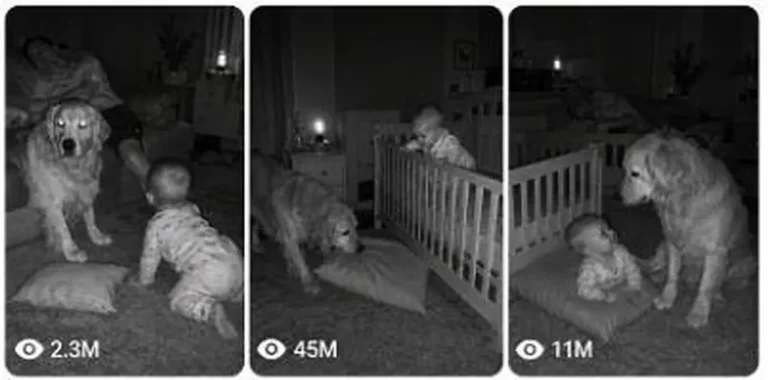
Create 15-second home security camera clips where a loyal dog or cat quietly saves a baby from an everyday danger at night.
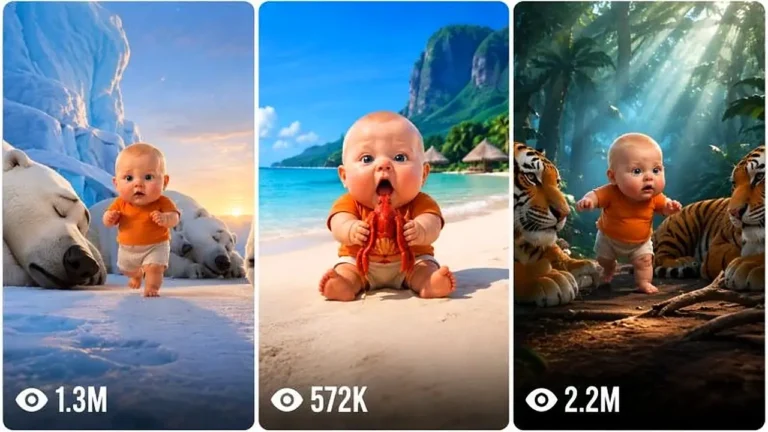
Make strict 15-second 3D animated micro-stories starring a recurring baby who pulls off an impossible action while mom and dad react.