
Every small business knows it should be active on social media. Very few have the time to do it well. The bakery owner is busy baking. The clinic manager is busy with patients. The online store owner is busy packing orders. Meanwhile, their Facebook Page has not been updated in two months and their X account is a ghost town. That gap is a real opportunity for freelancers. A social media management service is one of the most practical ways to start earning online, because the need is everywhere and the core skills can be learned.
The problem most beginners face is not finding the idea. It is getting the first client, and then handling five or ten clients without drowning in logins, browser tabs and missed posts. This guide walks you through how to start a social media management service step by step, how to land your first clients, and where automation tools fit in once your work starts growing.
What a social media management service actually includes
Before you sell anything, be clear about what you are offering. Most small clients need some mix of these:
- Content planning: a monthly calendar of posts tied to the client’s offers, seasons and events.
- Content creation: captions, simple graphics, short videos and reposts of customer content.
- Publishing and scheduling: getting posts out on time on the right platforms.
- Community management: replying to comments and messages, or flagging important ones to the client.
- Basic reporting: a short monthly summary of what was posted and what performed best.
You do not need to offer all of this on day one. Many successful freelancers start with planning and publishing only, then add more as they gain confidence.
Step-by-step: how to start your service
Step 1: Choose a niche and one or two platforms
“I manage social media for everyone” is hard to sell. “I manage Facebook Pages for local restaurants” is much easier. Pick a type of business you understand, perhaps because of family, past work or simple interest. Then focus on the platforms that business actually uses. For many local businesses that is Facebook. For tech, news, crypto or personal brands, X (Twitter) is often more important.
Step 2: Build a small portfolio, even without clients
Clients want to see proof that you can do the work. You can create it before you have paying customers:
- Run your own Page or X account in your chosen niche for 30 days with consistent, quality posts.
- Create sample content calendars and post designs for two or three imaginary businesses.
- Offer to manage a page for a friend, relative or local shop for a short trial, in exchange for an honest review and permission to show the work.
Step 3: Package your offer clearly
Beginners often lose clients by being vague. Create two or three simple packages with clear deliverables, for example: number of posts per week, platforms covered, whether replies are included, and what the monthly report contains. Set your own prices based on your market and the value you deliver, and write the scope down so both sides know exactly what is included.
Step 4: Find your first clients
Your first clients will most likely come from direct, personal outreach rather than ads. Practical places to start:
- Local businesses you already know. Look for shops, clinics, gyms and restaurants with inactive Pages. Visit, message or email them with one specific idea for improving their page.
- Freelance marketplaces. Create a focused profile on platforms such as Fiverr or Upwork, built around your niche and packages.
- Your own content. Share tips for your niche on your own accounts. Business owners often hire the person whose advice they already read.
- Referrals. After every good month, ask happy clients if they know anyone else who needs help.
When you reach out, do a small free audit: point out two or three things the business could improve on its page. This shows skill and starts a real conversation.
Step 5: Set up a simple onboarding process
Once a client says yes, collect everything in one go: brand colors, logo, offers, tone of voice, posting approval rules and proper access to their accounts. Use the platform’s official ways of granting access wherever possible, such as Page roles on Facebook. Always get written agreement on what you are allowed to do on their behalf.
Step 6: Build a weekly routine
A reliable routine is what keeps clients. A common weekly rhythm is: plan and create content early in the week, schedule it, check comments and messages daily, and send a short update at the end of each month. Write your routine down so you can follow it even on busy weeks.
When you need automation, and when you do not
With one or two clients, you can manage everything manually. Around five clients, the routine starts to strain. You are logging in and out of accounts, losing track of which browser holds which session, and spending more time switching than creating. This is where automation tools help, not by replacing your work, but by handling the repetitive parts so you can focus on content and client communication.
AlcashLabs makes Windows desktop apps for this stage of growth. You can see the full range on the AlcashLabs software page. Two are especially relevant to social media managers.
AlcashMeta for Facebook Page clients
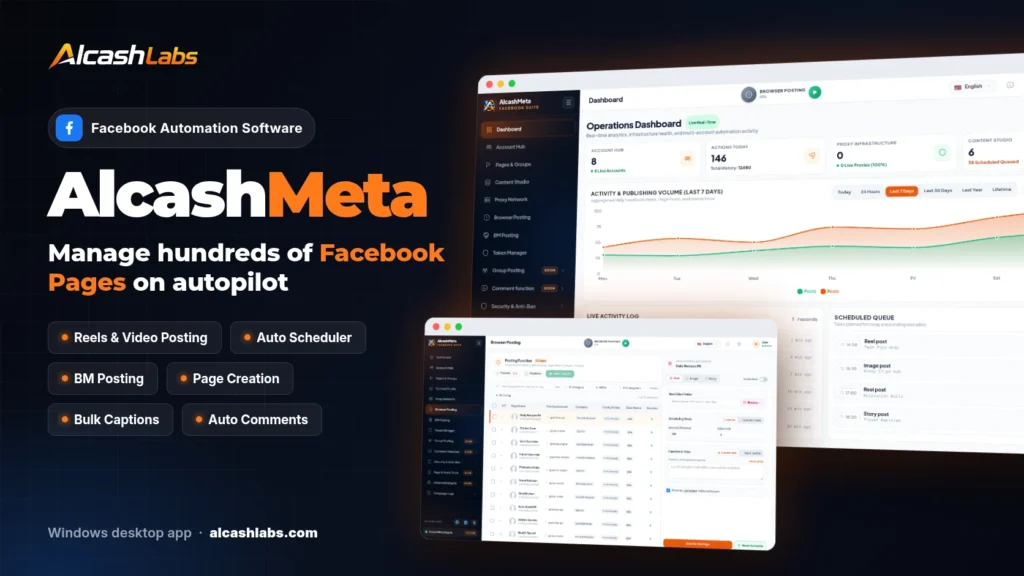
AlcashMeta helps you manage multiple Facebook profiles and Pages from one place. It includes a scheduler, Business Manager posting, and Reel and Story posting. Each profile can have its own proxy or its own WireGuard VPN location imported from your own VPN provider, which keeps work for different clients and regions organized and separate. The Proxy Manager supports categories, so you can group connections by client, and range select for quick bulk changes. Recent versions also let you store profile data on another drive, capture downloads inside the app, and add browser extensions with separate settings per profile.
AlcashX for X (Twitter) clients
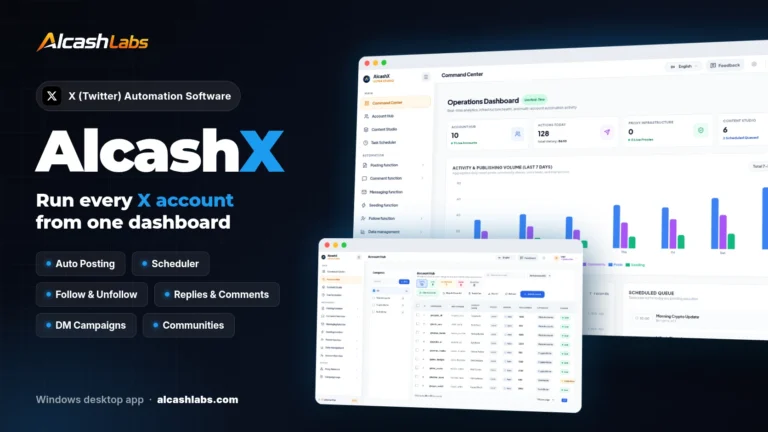
AlcashX helps you manage multiple X accounts with multi-account posting, scheduling, Content Studio, comments, DMs, communities and follows. Its account checker shows clear statuses, including Live, Login Limited and Suspended, so you can see which client accounts need attention before you start work. Custom Follow automatically stops an account when X shows a follow-limit or “try again later” message, and the Account Hub makes bulk selection and right-click actions faster when you manage many accounts.
Both apps automate a real browser using your own logged-in accounts. They do not use the official X or Meta APIs, so you remain responsible for following each platform’s rules.
Limits and responsible use
- Automation saves time; it does not guarantee growth, followers or income. Results depend on your content, your niche and your client’s business.
- Never promise clients specific follower numbers, sales or “going viral”. Promise consistent, quality work and honest reporting.
- Only manage accounts you own or that clients have clearly authorized you to manage.
- Follow platform rules. No spam, no fake engagement, no misleading content. Keep activity at a reasonable, human pace.
- No tool can guarantee that an account will never be restricted. Platforms make those decisions under their own policies.
Frequently asked questions
Do I need a degree to start a social media management service?
No. Clients care about results and reliability, not certificates. A small portfolio, clear packages and good communication matter far more. Free courses from the platforms themselves can help you learn the basics.
How many clients can a beginner handle?
Start with one to three clients and build a routine that works. Add more only when your current clients are consistently happy and your weekly process runs smoothly.
Should I use automation tools from day one?
Usually not. Learn the work manually first so you understand each platform. Bring in tools like AlcashMeta or AlcashX when managing multiple accounts starts taking more time than creating content.
How do I get access to a client’s accounts safely?
Use official access features whenever possible, such as Page roles on Facebook, and agree in writing on what you can do. Store any login details securely and never share them.
Can I offer this service to clients in other countries?
Yes. Social media management can be done fully online. Many freelancers in Pakistan and across South Asia work with clients in the Middle East, Europe and North America. Clear communication and reliable delivery are what win international clients.
Start small, deliver well, then scale
A social media management service is one of the most realistic ways to build an online income, because businesses everywhere need it and the skills are learnable. Pick a niche, build a small portfolio, reach out to real businesses and deliver reliably. When your client list grows, explore the tools on AlcashMeta and AlcashX to handle the repetitive work, so you can spend your time on what clients actually pay for: great content and dependable service.
Related videos from our channel
Subscribe Adsterra Earning 2026: Facebook Gadget Reviews Se $79K+ | 500 Pages Automation
 Adsterra Earning Tricks 2026: My $45-$50/Day Proof + Facebook Automation
 Turn Twitter Traffic Into Adsterra Cash With AlcashX Automation (Live Dashboard Proof) 2026
 X (Twitter) Clickable Video Post Trick: 22.7M Impressions + Adsterra Live Proof (AlcashX 2026)