
When beginners discover X (Twitter) automation, the first thought is usually: “Great, now I can automate everything.” Post every hour, follow thousands of people, reply to every trending topic, send DMs to anyone who might be interested. A few weeks later, the same beginners are confused. Their accounts are limited, their engagement is flat, and their followers do not feel real. Automation did exactly what they asked. They simply asked it to do the wrong things.
Automation on X is a tool, like a calculator. It is excellent at saving time on tasks you already understand, and terrible at replacing judgment. This guide explains, in plain language, what is worth automating on X, what you should never automate, and how to set up a beginner-friendly routine that keeps your accounts healthy.
First, understand what automation really means on X
There are two common ways to automate X activity:
- Using the official X API: developer access that lets apps interact with X through approved channels, with its own rules and costs.
- Browser automation: software that controls a real web browser, logged in to your own account, and performs actions as you would by hand.
Both are bound by X’s rules, including its policies on spam and platform manipulation. Whatever tool you use, X judges the activity on your account, not the tool you used to create it. That is the most important idea for any beginner: if an action would look like spam when done by hand, it is still spam when automated.
What you should automate on X
1. Scheduling your own posts
This is the safest and most useful automation for beginners. Write your posts in a batch once or twice a week, then schedule them at times when your audience is active. You stay consistent without being online all day, and you get time to review every post before it goes out.
2. Account status checks
If you manage more than one account, checking each one manually every day is slow. Automating status checks tells you which accounts are live, which need attention and which are suspended, so you can act before you plan any work on them.
3. Organizing and repurposing content
Tools that help you store drafts, reuse content ideas, turn a long post into a thread, or turn a piece of content into a simple card are worth using. They save creative time without changing how you interact with other people.
4. Small, relevant follow routines with clear limits
Following relevant accounts in your niche can help your account get discovered. A gradual follow routine, at a modest daily pace, aimed at accounts that genuinely match your topic, can be reasonable. The key is that it must stop the moment X shows a limit or “try again later” message.
5. Repetitive account management work
Tasks like grouping accounts, assigning a consistent proxy to each account, updating settings across several accounts or opening the right profile for the right client are pure admin. Automating them reduces mistakes.
What you should never automate on X
1. Mass unsolicited DMs
Sending the same promotional message to strangers is one of the fastest ways to get reported. Direct messages should be personal and expected, such as replies to people who contacted you or follow-ups with real customers.
2. Generic replies on trending posts
Automated “Great post!” or link-filled replies under popular tweets add nothing and look like spam to both users and X. Replies are where real relationships form, so write them yourself.
3. Aggressive follow and unfollow cycles
Following hundreds of accounts a day and unfollowing them later to inflate your follower count is a classic pattern X discourages. It also brings followers who never engage with you.
4. Fake engagement
Using several accounts to like, repost or reply to your own posts to make them look popular is platform manipulation. It is against X’s rules, and it misleads real people.
5. Duplicate content across many accounts
Posting the identical text from many accounts at the same time is a strong spam signal. If you manage several accounts, each one should have its own voice and its own content.
6. Anything you would be embarrassed to do by hand
This is the simplest rule. If you would not be comfortable doing it manually, in public, under your own name, do not automate it.
A simple weekly routine: X automation for beginners in practice
- Monday: plan the week’s topics and write posts in a batch.
- Monday: schedule the posts across the week at sensible times.
- Daily, 15-20 minutes: reply personally to comments and mentions, and engage with a few accounts in your niche.
- Every few days: run an account status check if you manage several accounts.
- Optional: run a small, relevant follow routine with a low daily target that stops at any limit message.
- Weekly: look at which posts did best and use that to plan next week.
How AlcashX fits this approach
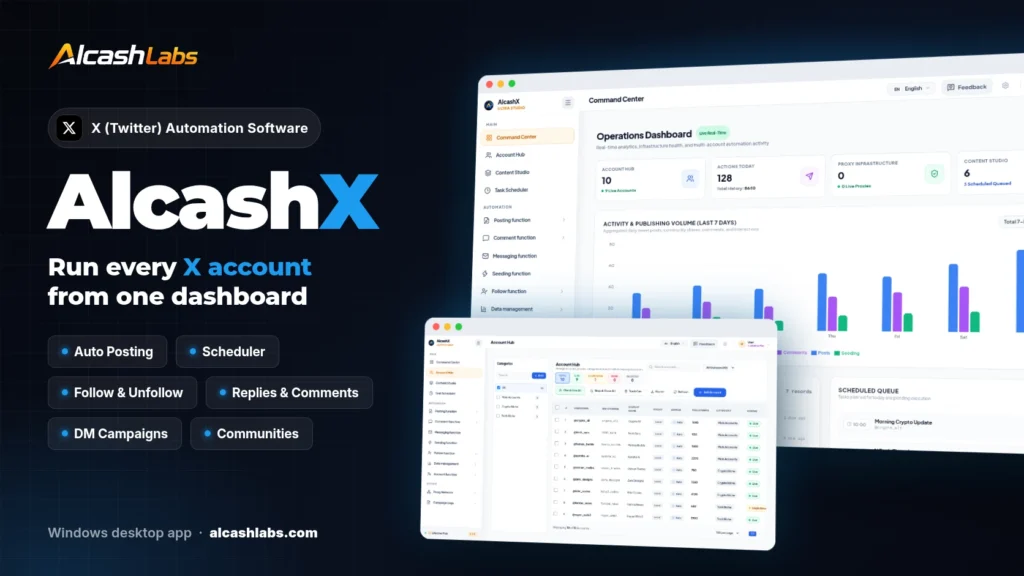
AlcashX is a Windows desktop app for managing one or many X accounts through browser automation with your own logged-in accounts. It is not based on the official X API. For beginners following the routine above, these features are the most relevant:
- Scheduling and Content Studio: plan and schedule your posts ahead of time and keep your content organized.
- X Card Studio: a simplified manual card-to-post flow, which finds the post composer more reliably when X loads slowly.
- Account checker: clear statuses including Live, Login Limited and Suspended. Accounts added by auth token only are now verified directly rather than being wrongly shown as Not Found.
- Custom Follow with built-in stopping: it automatically stops an account when X shows a follow-limit or “try again later” message, so an account is not pushed further. It also handles X’s “view profile” caution screens so a run does not stall, and the Stop button responds instantly, even during waits between actions.
- Account Hub: faster multi-select and a redesigned right-click menu for bulk actions when you manage several accounts.
- Proxy Manager: a redesigned interface for keeping each account’s network setup consistent.
- Built-in browser: opens at 100% zoom and captures downloads inside the app, plus an Extension Store for adding extensions from a ZIP or folder with settings kept separate for each profile.
AlcashX also includes comments, DMs, communities and seeding features. As this guide explains, those are areas where beginners should be most careful: use them for genuine, relevant interaction, not mass messaging or fake engagement.
Limits and responsible use
- No automation tool can guarantee growth, income or that an account will never be limited or suspended. X makes those decisions under its own policies.
- You are responsible for following X’s rules, including its spam and platform manipulation policies.
- Start slowly with new accounts and keep daily activity at a reasonable, human pace.
- Only automate accounts you own or are authorized to manage.
- Automation supports good content. It never replaces it.
Frequently asked questions
Is X automation allowed?
X allows some forms of automation, such as scheduling posts, but prohibits spammy and manipulative behavior. Read X’s automation and platform manipulation rules, and treat any automated action as if you were doing it yourself.
What is the safest thing to automate as a beginner?
Scheduling your own original posts. It saves time, keeps you consistent and does not involve automated interaction with other people.
How many accounts should a beginner follow per day?
There is no official safe number, and limits vary by account. Start small, follow only relevant accounts, spread follows across the day and stop for the day whenever X shows a limit message.
Can automation grow my followers quickly?
Automation can make you more consistent, but followers come from useful content and genuine engagement. Be cautious of any tool or service that promises fast follower growth.
Do I need AlcashX if I only have one account?
Not necessarily. With one account, X’s own scheduling options may be enough. AlcashX is most useful when you manage several accounts, or want account checks, organized proxies and bulk actions in one place.
Automate the routine, keep the human parts human
The best X automation for beginners is boring in a good way: scheduled posts, clean account checks and small, limit-aware routines. The parts that build real relationships, such as replies, conversations and DMs, stay in your hands. If you are ready to organize your X work this way, especially across multiple accounts, explore AlcashX and start with the features that save time without cutting corners.
Related videos from our channel
Subscribe Turn Twitter Traffic Into Adsterra Cash With AlcashX Automation (Live Dashboard Proof) 2026
 X (Twitter) Clickable Video Post Trick: 22.7M Impressions + Adsterra Live Proof (AlcashX 2026)
 1 Million Views in 1 Day! 🔥 Twitter Viral Method + Adsterra $25-$50 Daily Earning (2026)
 Adsterra Earning 2026: Facebook Gadget Reviews Se $79K+ | 500 Pages Automation